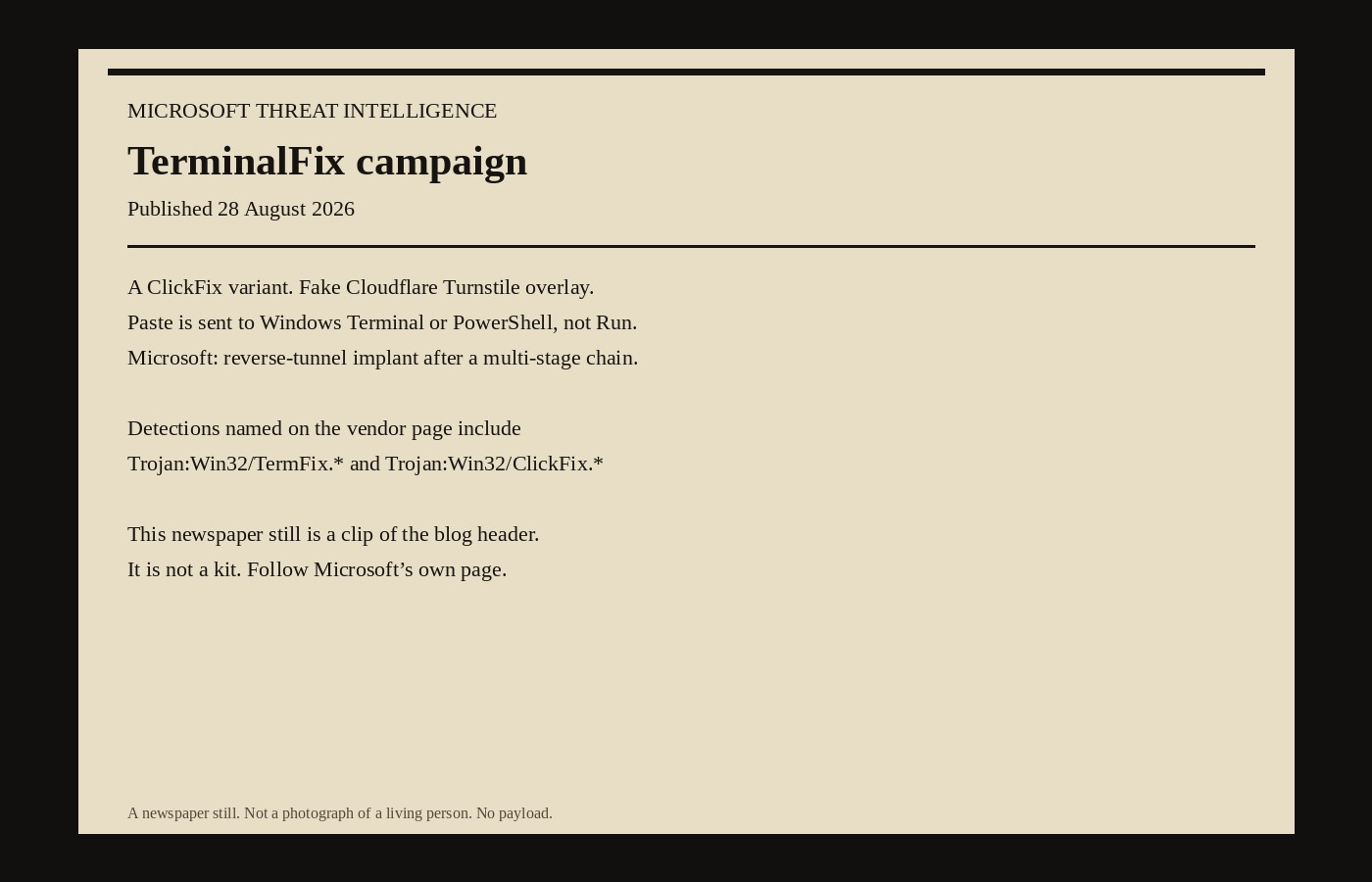
Microsoft Threat Intelligence named TerminalFix on 28 August 2026. The post is “TerminalFix campaign deploys a reverse tunnel through a multistage intrusion.” The authors are on that page. The date is on that page. This file is the vendor note. It is not a kit.
TerminalFix is Microsoft’s name for a ClickFix variant. A compromised website shows a fake Cloudflare Turnstile overlay. The user is told to paste a “verification” command. Classic ClickFix sent that paste to the Windows Run dialog. This campaign, Microsoft says, sends it to Windows Terminal or PowerShell instead, which is how a multi-line script gets a better chance of running. The payload, on Microsoft’s lede, is not a lone infostealer. It is a chain that ends in a reverse tunnel.
Follow Microsoft’s own page for indicators, detections, and hunting queries. This newspaper will not reprint a command, a zip hash list, or a wiring diagram of the implant. The news is that the vendor named the campaign, dated the post, and told defenders what to restrict.
Microsoft’s chain, at the level the lede is willing to speak, has eight named stages. A compromised site. A paste into Terminal or PowerShell. A zip dropped under ProgramData and a silent launch. A signed Windows binary, LockScreenContentServer.exe, loading a planted DLL named dui70.dll from its own directory. Payloads recovered from PNG files. Persistence through a Registry Run key and a scheduled task that re-launches every 60 minutes. Domain reconnaissance. A Python reverse-tunnel client launched with no window. That is Microsoft’s outline. It is enough to know what to look for. It is not enough, and it is not intended, to rebuild the chain.
LockScreenContentServer.exe is a legitimate signed binary with a static import on dui70.dll, the Windows DirectUI engine. Microsoft’s point is loader order: the application directory is searched before System32, so a planted DLL of that name runs inside a trusted process. The technique class is DLL sideloading. Microsoft maps it to ATT&CK T1574.002. This page will not explain how to plant the file. The defensive sentence is the one Microsoft printed: alert on LockScreenContentServer.exe executing from anywhere other than the Windows SystemApps path, and on that process loading dui70.dll from its own working directory.
Microsoft did not claim it watched the campaign through to ransomware on the hosts it analysed. The post is explicit. The reconnaissance and the reverse tunnel “could enable an attacker to identify and reach additional systems from a compromised host.” Downstream hands-on-keyboard — privilege escalation, security tools turned off, data out, ransomware — is the pattern that typically follows this kind of foothold. Microsoft says it did not observe those downstream actions in the analysed chain. Treat the host as a pivot anyway. That is the vendor’s instruction, not a colour piece.
Detections are named, and they are the useful clip. Microsoft Defender Antivirus: Trojan:Win32/ClickFix.*, Trojan:Win32/TermFix.*, Trojan:Win32/Posilod.*, Trojan:Win64/DLLHijack.DAB!MTB, Trojan:Python/Indigo.SA. Microsoft Defender for Endpoint: possible ClickFix activity, an executable loading an unexpected DLL, suspicious scheduled task, suspicious LDAP and Active Directory enumeration, possibly malicious use of a proxy or tunnelling tool. Those strings belong in a SOC search box. They do not belong next to a reproduction.
Microsoft published advanced hunting queries on the same page: a process-tree check for PowerShell launching cmd with ProgramData, 1.bat and LockScreenContentServer.exe in the line; an image-load check for dui70.dll beside LockScreenContentServer.exe off the standard paths; a process check for pythonw.exe or python.exe with Microsoft’s named implant arguments; a network check against the domains Microsoft listed. Run those queries on Microsoft’s page. Do not copy them off a newspaper as if the newspaper were a detection product. The queries will move. The blog is the primary.
Mitigations on that page are policy, which is why they can sit here. Restrict PowerShell for standard users with AppLocker, Application Control, or Group Policy. Audit or block the Run dialog where it is not required. Turn on PowerShell script-block logging. Prefer Constrained Language Mode and AllSigned or RemoteSigned where you can live with it. Teach the fake-CAPTCHA paste. Microsoft names attack-surface reduction rules that block obfuscated scripts, untrusted executables, and script-launched payloads. Enterprise-managed browsers, SmartScreen, network protection, cloud-delivered antivirus, and the usual Defender for Office 365 link-and-attachment checks are on the same list. None of that is a new product. It is the vendor telling you which switches this campaign walks around when they are off.
The lure itself is a social-engineering fact, not a packet. A site the user already meant to visit is replaced, Microsoft says, by a convincing Turnstile overlay: logo, “Verify you are human,” spinner. The clipboard is filled. The on-screen copy says to paste into Terminal. Reassuring Cloudflare-coloured status text is part of the disguise. User training that still talks only about email attachments will miss it. User training that still talks only about the Run dialog will miss this variant. Microsoft’s distinction — Terminal and PowerShell, not Run — is the reason the campaign got a new name.
Locale is a small tell Microsoft bothered to print. System-information collection in the analysed samples included English, Spanish and German string variants. Reconnaissance aimed at domain trusts, domain admins, and common infrastructure roles. The implant, Microsoft says, brings its own signed embeddable Python runtime from python.org and keeps the malicious logic in a side file, which is how a legitimate interpreter inherits a reputation it did not earn. Certificate checking on the tunnel is off. Those are defender facts. They are not a build list.
Related Microsoft research sitting next to this post on the same blog is not this campaign: an 26 August note on attacks against exposed AI gateways, an 18 August MacSync Stealer hunt, a 10 August DeadLock ransomware breakdown. Different objects. Different dates. TerminalFix’s date is 28 August. ClickFix as a family is older. The rename is the paste target.
If you find the named binary off the SystemApps path, Microsoft’s instruction is to assume network-level access through that host, to look for lateral movement, and to rotate credentials that host could see, including domain-admin credentials if the box was domain-joined. That is incident response, not a recipe for getting in. PaperCut’s emergency patch, already on this newspaper, is a different vendor and a different week. CISA’s KEV adds from 26 August are a different catalogue. This page is the 28 August Microsoft post, named TerminalFix, with the detections Microsoft printed and the restrictions Microsoft asked for. No payload. No how-to. The blog, not this file, is the primary.
The paper
Comments
No notes on this story yet.
Sign in to comment